
▦
One Central Database
Products, categories, warehouses, storage locations, suppliers, customers, and orders are managed centrally.
Warehouse Management connects products, warehouses, storage locations, inventory, purchasing, orders, goods receipt, goods issue, and stocktaking in one central platform.
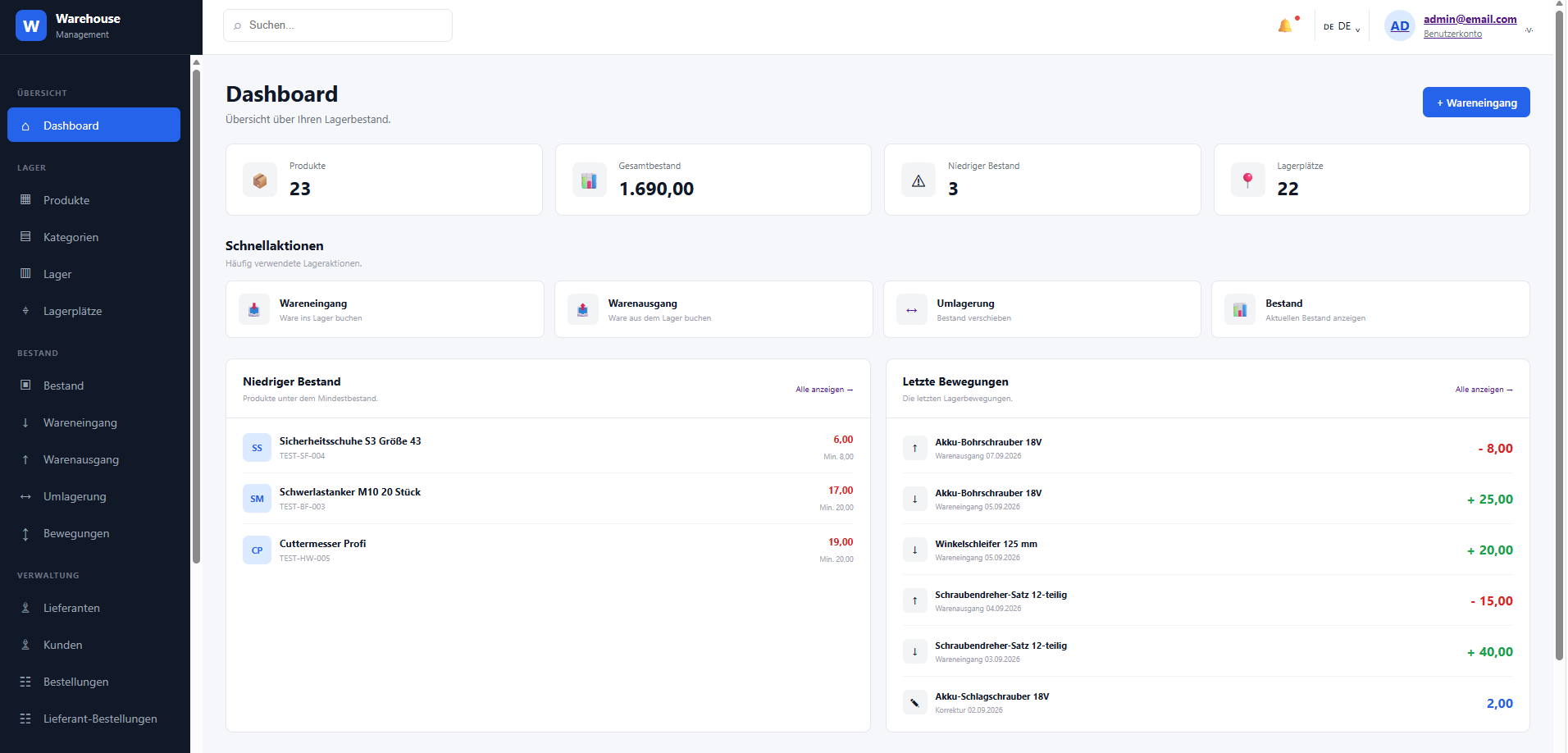
One central platform for structured warehouse processes, up-to-date inventory, and clear decisions.
Modern warehouse management is not just about knowing current stock levels. It means connecting every relevant process with one another.
Products, categories, warehouses, storage locations, suppliers, customers, and orders are managed centrally.
Goods receipts, goods issues, relocations, corrections, and stocktaking are fully documented.
Analyze stock reports, warehouse valuation, movements, low stock levels, products, and suppliers clearly.
Every step builds upon the previous one. Your inventory stays fully traceable and your employees work with consistent data.
Manage suppliers, create purchase orders, and plan required items.
Record delivered quantities and assign goods to the correct warehouse or storage location.
Distribute stock to specific locations and know at all times where an item is placed.
Move goods between storage locations or warehouses and document every movement.
Manage customer orders, verify line items, and check available stock levels.
Book out goods in a controlled manner and keep your inventory automatically up to date.
From master data management to detailed inventory analysis – Warehouse Management consolidates your processes into a single system.
Manage products centrally, categorize them, and organize with SKU, barcodes, pricing, and minimum stock levels.
→Manage multiple warehouses and structured storage bins. Quickly locate where any item is stored.
→Monitor total stock, reserved quantities, available quantities, and minimum stock thresholds.
→Manage suppliers centrally and integrate them into your procurement processes.
→Manage customers and sales orders in a structured way, taking stock levels into account during order processing.
→Create inventory audits, compare system stock with physical counts, and track variances easily.
→Document receipts, shipments, relocations, inventory counts, and manual adjustments clearly.
→Manage users and structure access through custom roles and granular permissions.
→Create and manage purchase orders with suppliers and keep track of delivered as well as pending quantities.
Warehouse Management differentiates between physical, reserved, and available stock. This provides you with a realistic picture of your actual warehouse capacity.
Discover faster what is happening, where bottlenecks occur, and the total value of your current warehouse inventory.
Current stock levels grouped by warehouse, storage location, and product.
→Total purchasing value and sales value of your current stock.
→History of receipts, shipments, relocations, stocktaking, and adjustments.
→Identify products whose inventory level falls below the defined minimum.
→Analyze inventory trends and movement history for individual products.
→Analyze suppliers and their corresponding goods movement history clearly.
→Create a stocktaking task, select the target warehouse, record counted quantities, and compare them directly with the system stock.
Excel remains available wherever it makes sense. Data can be imported structurally and relevant information can be exported for further processing.
Transfer existing master data into the system smoothly.
Export reports and relevant system data for further analysis.
Standardized master data provides a reliable foundation for your daily operations.
Processes vary from company to company. However, the core foundation remains the same: products, inventory, movements, and clear workflows.
Organize large item catalogs, high order volumes, and extensive goods movements centrally.
→Manage large inventory volumes and multiple storage locations systematically.
→Find high-volume SKUs quickly, monitor stock levels, and track movements.
→Structure raw materials, warehouse stock, and goods movement efficiently.
→Seamlessly connect products, orders, inventory levels, and fulfillment.
→Manage diverse product lines and complex storage bin structures with ease.
→Not every employee needs access to every function. With user management, custom roles, and permissions, access control can be structured effectively.
In a personal demo session, we can discuss your specific requirements and business processes.
Request Demo →Warehouse Management is designed for companies with physical warehouses, large item catalogs, or frequent goods movements – including wholesale, building materials trade, spare parts trade, manufacturing, and e-commerce.
Yes. Multiple warehouses can be managed separately and organized with their respective storage locations.
Yes. Storage bins can be created, activated, deactivated, and assigned to specific warehouses.
Yes. Supplier orders, items, quantities, and delivery status can be managed centrally.
Yes. Customers and sales orders can be managed and seamlessly connected to inventory processes.
Yes. The system includes full inventory counting tools, stock level reports, warehouse valuation, goods movement logs, low stock alerts, as well as product and supplier reports.
Yes. Users and roles can be managed centrally, and access rights can be granted based on specific job responsibilities.
Yes. All relevant lists and reports can be exported to Excel for further processing.
In a 1-on-1 personalized demo, we will present the key features of Warehouse Management and discuss how your current processes can be mapped into the system.
◷ Personalized · No Obligation · Available in English
We will contact you within one business day.